
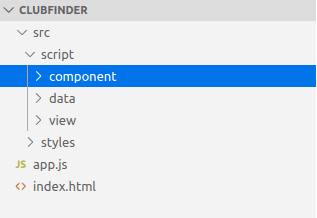
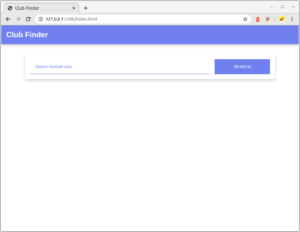
- App Bar : Komponen di posisi atas yang menunjukkan identitas atau nama dari aplikasi web.
- Search Bar : Komponen yang terdiri atas elemen <input> dan <button> dan berguna untuk melakukan pencarian club sesuai dengan input pemakai.
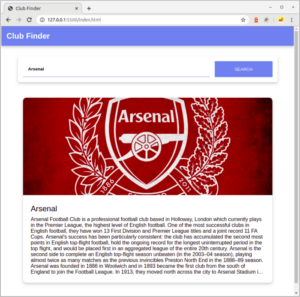
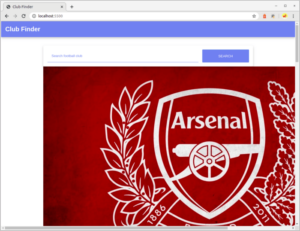
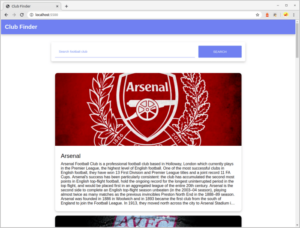
- Club Daftar : Komponen yang berguna untuk menampung data dari hasil pencarian, kemudian menampilkannya dalam wujud daftar.
- Club Item : Komponen yang memperlihatkan data individual club yang diberikan dari club daftar. Komponen ini terdiri atas gambar, nama, dan penjelasan singkat club.
Solution: Membuat app-bar Component
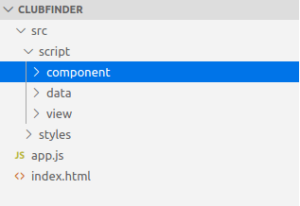
-
- class AppBar extends HTMLElement {
-
- }
-
- class AppBar extends HTMLElement {
-
- connectedCallback(){
-
- }
-
- render() {
-
- }
-
- }
-
- class AppBar extends HTMLElement {
-
- connectedCallback(){
-
- this.render();
-
- }
-
- render() {
-
- }
-
- }
-
- <header>
-
- <div id=“appBar” class=“app-bar”>
-
- <h2>Club Finder</h2>
-
- </div>
-
- </header>
-
- class AppBar extends HTMLElement {
-
- connectedCallback(){
-
- this.render();
-
- }
-
- render() {
-
- this.innerHTML = `<h2>Club Finder</h2>`;
-
- }
-
- }
-
- class AppBar extends HTMLElement {
-
- connectedCallback(){
-
- this.render();
-
- }
-
- render() {
-
- this.innerHTML = `<h2>Club Finder</h2>`;
-
- }
-
- }
-
- customElements.define(“app-bar”, AppBar);
-
- <header>
-
- <app-bar></app-bar>
-
- </header>
-
- import “./src/script/component/app-bar.js”;
-
- import “./src/script/component/app-bar.js”;
-
- import main from “./src/script/view/main.js”;
-
- document.addEventListener(“DOMContentLoaded”, main);
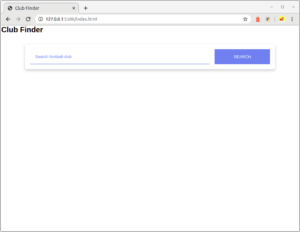
-
- app–bar {
-
- padding: 16px;
-
- width: 100%;
-
- background–color: cornflowerblue;
-
- color: white;
-
- box–shadow: 0 4px 8px 0 rgba(0, 0, 0, 0.2);
-
- }
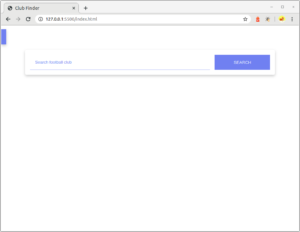
-
- app–bar {
-
- display: block;
-
- padding: 16px;
-
- width: 100%;
-
- background–color: cornflowerblue;
-
- color: white;
-
- box–shadow: 0 4px 8px 0 rgba(0, 0, 0, 0.2);
-
- }
Membuat search-bar Component
-
- class SearchBar extends HTMLElement {
-
- }
-
- class SearchBar extends HTMLElement {
-
- connectedCallback(){
-
- }
-
- render() {
-
- }
-
- }
-
- class SearchBar extends HTMLElement {
-
- connectedCallback(){
-
- this.render();
-
- }
-
- render() {
-
- }
-
- }
-
- <div id=“search-container” class=“search-container”>
-
- <input placeholder=“Search football club” id=“searchElement” type=“search”>
-
- <button id=“searchButtonElement” type=“submit”>Search</button>
-
- </div>
-
- class SearchBar extends HTMLElement {
-
- connectedCallback(){
-
- this.render();
-
- }
-
- render() {
-
- this.innerHTML = `
-
- <div id=”search-container” class=”search-container”>
-
- <input placeholder=”Search football club” id=”searchElement” type=”search”>
-
- <button id=”searchButtonElement” type=”submit”>Search</button>
-
- </div>
-
- `;
-
- }
-
- }
-
- class SearchBar extends HTMLElement {
-
- connectedCallback(){
-
- this.render();
-
- }
-
- set clickEvent(event) {
-
- this._clickEvent = event;
-
- this.render();
-
- }
-
- render() {
-
- this.innerHTML = `
-
- <div id=”search-container” class=”search-container”>
-
- <input placeholder=”Search football club” id=”searchElement” type=”search”>
-
- <button id=”searchButtonElement” type=”submit”>Search</button>
-
- </div>
-
- `;
-
- }
-
- }
-
- this.querySelector(“#searchButtonElement”).addEventListener(“click”, this._clickEvent);
-
- render() {
-
- this.innerHTML = `
-
- <div id=”search-container” class=”search-container”>
-
- <input placeholder=”Search football club” id=”searchElement” type=”search”>
-
- <button id=”searchButtonElement” type=”submit”>Search</button>
-
- </div>`;
-
- this.querySelector(“#searchButtonElement”).addEventListener(“click”, this._clickEvent);
-
- }
-
- get value() {
-
- return this.querySelector(“#searchElement”).value;
-
- }
-
- class SearchBar extends HTMLElement {
-
- connectedCallback(){
-
- this.render();
-
- }
-
- set clickEvent(event) {
-
- this._clickEvent = event;
-
- this.render();
-
- }
-
- get value() {
-
- return this.querySelector(“#searchElement”).value;
-
- }
-
- render() {
-
- this.innerHTML = `
-
- <div id=”search-container” class=”search-container”>
-
- <input placeholder=”Search football club” id=”searchElement” type=”search”>
-
- <button id=”searchButtonElement” type=”submit”>Search</button>
-
- </div>
-
- `;
-
- this.querySelector(“#searchButtonElement”).addEventListener(“click”, this._clickEvent);
-
- }
-
- }
-
- class SearchBar extends HTMLElement {
-
- connectedCallback(){
-
- this.render();
-
- }
-
- set clickEvent(event) {
-
- this._clickEvent = event;
-
- this.render();
-
- }
-
- get value() {
-
- return this.querySelector(“#searchElement”).value;
-
- }
-
- render() {
-
- this.innerHTML = `
-
- <div id=”search-container” class=”search-container”>
-
- <input placeholder=”Search football club” id=”searchElement” type=”search”>
-
- <button id=”searchButtonElement” type=”submit”>Search</button>
-
- </div>
-
- `;
-
- this.querySelector(“#searchButtonElement”).addEventListener(“click”, this._clickEvent);
-
- }
-
- }
-
- customElements.define(“search-bar”, SearchBar);
-
- <div id=“search-container” class=“search-container”>
-
- <input placeholder=“Search football club” id=“searchElement” type=“search”>
-
- <button id=“searchButtonElement” type=“submit”>Search</button>
-
- </div>
-
- <search-bar></search-bar>
-
- const searchElement = document.querySelector(“#searchElement”);
-
- const searchElement = document.querySelector(“search-bar”);
-
- const buttonSearchElement = document.querySelector(“#searchButtonElement”);
-
- buttonSearchElement.addEventListener(“click”, onButtonSearchClicked);
-
- searchElement.clickEvent = onButtonSearchClicked;
-
- import ‘../component/search-bar.js’;
-
- import ‘../component/search-bar.js’;
-
- import DataSource from ‘../data/data-source.js’;
-
- const main = () => {
-
- const searchElement = document.querySelector(“search-bar”);
-
- const clubListElement = document.querySelector(“#clubList”);
-
- const onButtonSearchClicked = async () => {
-
- try {
-
- const result = await DataSource.searchClub(searchElement.value);
-
- renderResult(result);
-
- } catch (message) {
-
- fallbackResult(message)
-
- }
-
- };
-
- const renderResult = results => {
-
- clubListElement.innerHTML = “”;
-
- results.forEach(club => {
-
- const { name, fanArt, description } = club;
-
- const clubElement = document.createElement(“div”);
-
- clubElement.setAttribute(“class”, “club”);
-
- clubElement.innerHTML = `
-
- <img class=”fan-art-club” src=”${fanArt}” alt=”Fan Art”>
-
- <div class=”club-info”>
-
- <h2>${name}</h2>
-
- <p>${description}</p>
-
- </div>`;
-
- clubListElement.appendChild(clubElement);
-
- })
-
- };
-
- const fallbackResult = message => {
-
- clubListElement.innerHTML = “”;
-
- clubListElement.innerHTML += `<h2 class=”placeholder”>${message}</h2>`;
-
- };
-
- searchElement.clickEvent = onButtonSearchClicked;
-
- };
-
- export default main;
Solution: Membuat club-list dan club-item Component
Membuat <club-list> element
-
- class ClubList extends HTMLElement {
-
- }
-
- class ClubList extends HTMLElement {
-
- set clubs(clubs) {
-
- }
-
- render() {
-
- }
-
- }
-
- set clubs(clubs) {
-
- this._clubs = clubs;
-
- this.render();
-
- }
-
- render() {
-
- this.innerHTML = “”;
-
- this._clubs.forEach(club => {
-
- const clubItemElement = document.createElement(“club-item”);
-
- clubItemElement.club = club
-
- this.appendChild(clubItemElement);
-
- })
-
- }
-
- renderError(message) {
-
- }
-
- clubListElement.innerHTML = “”;
-
- clubListElement.innerHTML += `<h2 class=”placeholder”>${message}</h2>`;
-
- renderError(message) {
-
- this.innerHTML = “”;
-
- this.innerHTML += `<h2 class=”placeholder”>${message}</h2>`;
-
- }
-
- customElements.define(“club-list”, ClubList);
-
- import ‘./club-item.js’;
-
- import ‘./club-item.js’;
-
- class ClubList extends HTMLElement {
-
- set clubs(clubs) {
-
- this._clubs = clubs;
-
- this.render();
-
- }
-
- renderError(message) {
-
- this.innerHTML = “”;
-
- this.innerHTML += `<h2 class=”placeholder”>${message}</h2>`;
-
- }
-
- render() {
-
- this.innerHTML = “”;
-
- this._clubs.forEach(club => {
-
- const clubItemElement = document.createElement(“club-item”);
-
- clubItemElement.club = club
-
- this.appendChild(clubItemElement);
-
- })
-
- }
-
- }
-
- customElements.define(“club-list”, ClubList);
Membuat <club-item> element
-
- class ClubItem extends HTMLElement {
-
- }
-
- class ClubItem extends HTMLElement {
-
- set club(club) {
-
- }
-
- render() {
-
- }
-
- }
-
- class ClubItem extends HTMLElement {
-
- set club(club) {
-
- this._club = club;
-
- this.render();
-
- }
-
- render() {
-
- }
-
- }
-
- clubElement.innerHTML = `
-
- <img class=”fan-art-club” src=”${fanArt}” alt=”Fan Art”>
-
- <div class=”club-info”>
-
- <h2>${name}</h2>
-
- <p>${description}</p>
-
- </div>`;
-
- class ClubItem extends HTMLElement {
-
- set club(club) {
-
- this._club = club;
-
- this.render();
-
- }
-
- render() {
-
- this.innerHTML = `
-
- <img class=”fan-art-club” src=”${fanArt}” alt=”Fan Art”>
-
- <div class=”club-info”>
-
- <h2>${name}</h2>
-
- <p>${description}</p>
-
- </div>`;
-
- }
-
- }
-
- class ClubItem extends HTMLElement {
-
- set club(club) {
-
- this._club = club;
-
- this.render();
-
- }
-
- render() {
-
- this.innerHTML = `
-
- <img class=”fan-art-club” src=”${this._club.fanArt}” alt=”Fan Art”>
-
- <div class=”club-info”>
-
- <h2>${this._club.name}</h2>
-
- <p>${this._club.description}</p>
-
- </div>`;
-
- }
-
- }
-
- class ClubItem extends HTMLElement {
-
- set club(club) {
-
- this._club = club;
-
- this.render();
-
- }
-
- render() {
-
- this.innerHTML = `
-
- <img class=”fan-art-club” src=”${this._club.fanArt}” alt=”Fan Art”>
-
- <div class=”club-info”>
-
- <h2>${this._club.name}</h2>
-
- <p>${this._club.description}</p>
-
- </div>`;
-
- }
-
- }
-
- customElements.define(“club-item”, ClubItem);
Memakai <club-list> element
-
- <div id=“clubList”></div>
-
- <club-list></club-list>
-
- const clubListElement = document.querySelector(“#clubList”);
-
- const clubListElement = document.querySelector(“club-list”);
-
- const renderResult = results => {
-
- clubListElement.innerHTML = “”;
-
- results.forEach(club => {
-
- const { name, fanArt, description } = club;
-
- const clubElement = document.createElement(“div”);
-
- clubElement.setAttribute(“class”, “club”);
-
- clubElement.innerHTML = `
-
- <img class=”fan-art-club” src=”${fanArt}” alt=”Fan Art”>
-
- <div class=”club-info”>
-
- <h2>${name}</h2>
-
- <p>${description}</p>
-
- </div>`;
-
- clubListElement.appendChild(clubElement);
-
- })
-
- };
-
- const renderResult = results => {
-
- clubListElement.clubs = results;
-
- };
-
- const fallbackResult = message => {
-
- clubListElement.renderError(message);
-
- };
-
- import ‘../component/club-list.js’;
-
- import ‘../component/club-list.js’;
-
- import ‘../component/search-bar.js’;
-
- import DataSource from ‘../data/data-source.js’;
-
- const main = () => {
-
- const searchElement = document.querySelector(“search-bar”);
-
- const clubListElement = document.querySelector(“club-list”);
-
- const onButtonSearchClicked = async () => {
-
- try {
-
- const result = await DataSource.searchClub(searchElement.value);
-
- renderResult(result);
-
- } catch (message) {
-
- fallbackResult(message)
-
- }
-
- };
-
- const renderResult = results => {
-
- clubListElement.clubs = results;
-
- };
-
- const fallbackResult = message => {
-
- clubListElement.renderError(message);
-
- };
-
- searchElement.clickEvent = onButtonSearchClicked;
-
- };
-
- export default main;
-
- club–daftar {
-
- margin–top: 32px;
-
- width: 100%;
-
- padding: 16px;
-
- }
-
- club–daftar > .placeholder {
-
- font–weight: lighter;
-
- color: rgba(0,0,0,0.5);
-
- –webkit–user–select: none;
-
- –moz–user–select: none;
-
- –ms–user–select: none;
-
- user–select: none;
-
- }
-
- club–item {
-
- margin–bottom: 18px;
-
- box–shadow: 0 4px 8px 0 rgba(0, 0, 0, 0.2);
-
- border–radius: 10px;
-
- overflow: hidden;
-
- }
-
- club–item .fan–art–club {
-
- width: 100%;
-
- max–height: 300px;
-
- object–fit: cover;
-
- object–position: center;
-
- }
-
- .club–info {
-
- padding: 24px;
-
- }
-
- .club–info > h2 {
-
- font–weight: lighter;
-
- }
-
- .club–info > p {
-
- margin–top: 10px;
-
- overflow: hidden;
-
- text–overflow: ellipsis;
-
- display: –webkit–box;
-
- –webkit–box–orient: vertical;
-
- –webkit–line–clamp: 10; /* number of lines to show */
-
- }
-
- club–daftar {
-
- display: block;
-
- ….
-
- }
-
- ….
-
- club–item {
-
- display: block;
-
- ….
-
- }
-
- ….
-
- club–daftar {
-
- display: block;
-
- margin–top: 32px;
-
- width: 100%;
-
- padding: 16px;
-
- }
-
- club–daftar > .placeholder {
-
- font–weight: lighter;
-
- color: rgba(0,0,0,0.5);
-
- –webkit–user–select: none;
-
- –moz–user–select: none;
-
- –ms–user–select: none;
-
- user–select: none;
-
- }
-
- club–item {
-
- display: block;
-
- margin–bottom: 18px;
-
- box–shadow: 0 4px 8px 0 rgba(0, 0, 0, 0.2);
-
- border–radius: 10px;
-
- overflow: hidden;
-
- }
-
- club–item .fan–art–club {
-
- width: 100%;
-
- max–height: 300px;
-
- object–fit: cover;
-
- object–position: center;
-
- }
-
- .club–info {
-
- padding: 24px;
-
- }
-
- .club–info > h2 {
-
- font–weight: lighter;
-
- }
-
- .club–info > p {
-
- margin–top: 10px;
-
- overflow: hidden;
-
- text–overflow: ellipsis;
-
- display: –webkit–box;
-
- –webkit–box–orient: vertical;
-
- –webkit–line–clamp: 10; /* number of lines to show */
-
- }
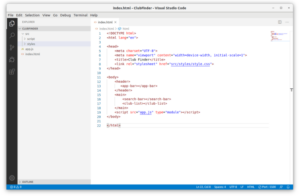
-
- class AppBar extends HTMLElement {
-
- constructor() {
-
- super();
-
- this.shadowDOM = this.attachShadow({mode: “open”});
-
- }
-
- connectedCallback(){
-
- this.render();
-
- }
-
- render() {
-
- this.innerHTML = `<h2>Club Finder</h2>`;
-
- }
-
- }
-
- customElements.define(“app-bar”, AppBar);
-
- class AppBar extends HTMLElement {
-
- constructor() {
-
- super();
-
- this.shadowDOM = this.attachShadow({mode: “open”});
-
- }
-
- connectedCallback(){
-
- this.render();
-
- }
-
- render() {
-
- this.shadowDOM.innerHTML = `<h2>Club Finder</h2>`;
-
- }
-
- }
-
- customElements.define(“app-bar”, AppBar);
-
- app–bar {
-
- display: block;
-
- padding: 16px;
-
- width: 100%;
-
- background–color: cornflowerblue;
-
- color: white;
-
- box–shadow: 0 4px 8px 0 rgba(0, 0, 0, 0.2);
-
- }
-
- class AppBar extends HTMLElement {
-
- constructor() {
-
- super();
-
- this.shadowDOM = this.attachShadow({mode: “open”});
-
- }
-
- connectedCallback(){
-
- this.render();
-
- }
-
- render() {
-
- this.shadowDOM.innerHTML = `
-
- <style>
-
- app-bar {
-
- display: block;
-
- padding: 16px;
-
- width: 100%;
-
- background-color: cornflowerblue;
-
- color: white;
-
- box-shadow: 0 4px 8px 0 rgba(0, 0, 0, 0.2);
-
- }
-
- </style>
-
- <h2>Club Finder</h2>`;
-
- }
-
- }
-
- customElements.define(“app-bar”, AppBar);
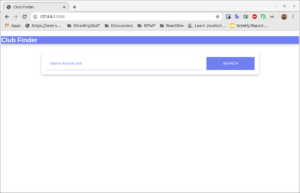
-
- class AppBar extends HTMLElement {
-
- constructor() {
-
- super();
-
- this.shadowDOM = this.attachShadow({mode: “open”});
-
- }
-
- connectedCallback(){
-
- this.render();
-
- }
-
- render() {
-
- this.shadowDOM.innerHTML = `
-
- <style>
-
- * {
-
- margin: 0;
-
- padding: 0;
-
- box-sizing: border-box;
-
- }
-
- :host {
-
- display: block;
-
- width: 100%;
-
- background-color: cornflowerblue;
-
- color: white;
-
- box-shadow: 0 4px 8px 0 rgba(0, 0, 0, 0.2);
-
- }
-
- h2 {
-
- padding: 16px;
-
- }
-
- </style>
-
- <h2>Club Finder</h2>`;
-
- }
-
- }
-
- customElements.define(“app-bar”, AppBar);
-
- * {
-
- margin: 0;
-
- padding: 0;
-
- box–sizing: border–box;
-
- }
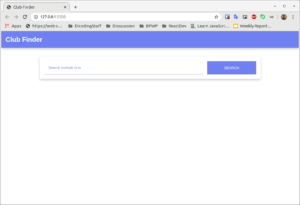
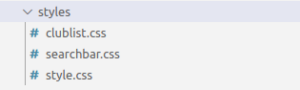
-
- @import “clublist.css”;
-
- @import “searchbar.css”;
-
- * {
-
- padding: 0;
-
- margin: 0;
-
- box–sizing: border–box;
-
- }
-
- body {
-
- font–family: sans–serif;
-
- }
-
- main {
-
- width: 90%;
-
- max–width: 800px;
-
- margin: 32px auto;
-
- }
Menerapkan Shadow DOM pada Search Bar
-
- class SearchBar extends HTMLElement {
-
- constructor() {
-
- super();
-
- this.shadowDOM = this.attachShadow({mode: “open”});
-
- }
-
- connectedCallback(){
-
- this.render();
-
- }
-
- set clickEvent(event) {
-
- this._clickEvent = event;
-
- this.render();
-
- }
-
- get value() {
-
- return this.querySelector(“#searchElement”).value;
-
- }
-
- render() {
-
- this.innerHTML = `
-
- <div id=”search-container” class=”search-container”>
-
- <input placeholder=”Search football club” id=”searchElement” type=”search”>
-
- <button id=”searchButtonElement” type=”submit”>Search</button>
-
- </div>
-
- `;
-
- this.querySelector(“#searchButtonElement”).addEventListener(“click”, this._clickEvent);
-
- }
-
- }
-
- customElements.define(“search-bar”, SearchBar);
-
- class SearchBar extends HTMLElement {
-
- constructor() {
-
- super();
-
- this.shadowDOM = this.attachShadow({mode: “open”});
-
- }
-
- connectedCallback(){
-
- this.render();
-
- }
-
- set clickEvent(event) {
-
- this._clickEvent = event;
-
- this.render();
-
- }
-
- get value() {
-
- return this.querySelector(“#searchElement”).value;
-
- }
-
- render() {
-
- this.shadowDOM.innerHTML = `
-
- <div id=”search-container” class=”search-container”>
-
- <input placeholder=”Search football club” id=”searchElement” type=”search”>
-
- <button id=”searchButtonElement” type=”submit”>Search</button>
-
- </div>
-
- `;
-
- this.querySelector(“#searchButtonElement”).addEventListener(“click”, this._clickEvent);
-
- }
-
- }
-
- customElements.define(“search-bar”, SearchBar);
-
- class SearchBar extends HTMLElement {
-
- ……….
-
- get value() {
-
- return this.shadowDOM.querySelector(“#searchElement”).value;
-
- }
-
- render() {
-
- ………
-
- this.shadowDOM.querySelector(“#searchButtonElement”).addEventListener(“click”, this._clickEvent);
-
- }
-
- }
-
- ………..
-
- .search–container {
-
- max–width: 800px;
-
- box–shadow: 0 4px 8px 0 rgba(0, 0, 0, 0.2);
-
- padding: 16px;
-
- border–radius: 5px;
-
- display: flex;
-
- position: sticky;
-
- top: 10px;
-
- background–color: white;
-
- }
-
- .search–container > input {
-
- width: 75%;
-
- padding: 16px;
-
- border: 0;
-
- border–bottom: 1px solid cornflowerblue;
-
- font–weight: bold;
-
- }
-
- .search–container > input:focus {
-
- outline: 0;
-
- border–bottom: 2px solid cornflowerblue;
-
- }
-
- .search–container > input:focus::placeholder {
-
- font–weight: bold;
-
- }
-
- .search–container > input::placeholder {
-
- color: cornflowerblue;
-
- font–weight: normal;
-
- }
-
- .search–container > button {
-
- width: 23%;
-
- cursor: pointer;
-
- margin–left: auto;
-
- padding: 16px;
-
- background–color: cornflowerblue;
-
- color: white;
-
- border: 0;
-
- text–transform: uppercase;
-
- }
-
- @media screen and (max–width: 550px){
-
- .search–container {
-
- flex–direction: column;
-
- position: static;
-
- }
-
- .search–container > input {
-
- width: 100%;
-
- margin–bottom: 12px;
-
- }
-
- .search–container > button {
-
- width: 100%;
-
- }
-
- }
-
- class SearchBar extends HTMLElement {
-
- ………
-
- render() {
-
- this.shadowDOM.innerHTML = `
-
- <style>
-
- .search-container {
-
- max-width: 800px;
-
- box-shadow: 0 4px 8px 0 rgba(0, 0, 0, 0.2);
-
- padding: 16px;
-
- border-radius: 5px;
-
- display: flex;
-
- position: sticky;
-
- top: 10px;
-
- background-color: white;
-
- }
-
- .search-container > input {
-
- width: 75%;
-
- padding: 16px;
-
- border: 0;
-
- border-bottom: 1px solid cornflowerblue;
-
- font-weight: bold;
-
- }
-
- .search-container > input:focus {
-
- outline: 0;
-
- border-bottom: 2px solid cornflowerblue;
-
- }
-
- .search-container > input:focus::placeholder {
-
- font-weight: bold;
-
- }
-
- .search-container > input::placeholder {
-
- color: cornflowerblue;
-
- font-weight: normal;
-
- }
-
- .search-container > button {
-
- width: 23%;
-
- cursor: pointer;
-
- margin-left: auto;
-
- padding: 16px;
-
- background-color: cornflowerblue;
-
- color: white;
-
- border: 0;
-
- text-transform: uppercase;
-
- }
-
- @media screen and (max-width: 550px){
-
- .search-container {
-
- flex-direction: column;
-
- position: static;
-
- }
-
- .search-container > input {
-
- width: 100%;
-
- margin-bottom: 12px;
-
- }
-
- .search-container > button {
-
- width: 100%;
-
- }
-
- }
-
- </style>
-
- <div id=”search-container” class=”search-container”>
-
- <input placeholder=”Search football club” id=”searchElement” type=”search”>
-
- <button id=”searchButtonElement” type=”submit”>Search</button>
-
- </div>
-
- `;
-
- …….
-
- }
-
- }
-
- customElements.define(“search-bar”, SearchBar);
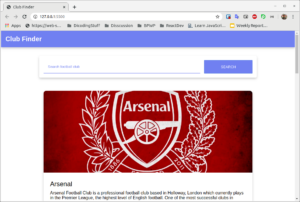
-
- @import “clublist.css”;
-
- * {
-
- padding: 0;
-
- margin: 0;
-
- box–sizing: border–box;
-
- }
-
- body {
-
- font–family: sans–serif;
-
- }
-
- main {
-
- width: 90%;
-
- max–width: 800px;
-
- margin: 32px auto;
-
- }
Menerapkan Shadow DOM pada Club Daftar dan Club Item
-
- import ‘./club-item.js’;
-
- class ClubList extends HTMLElement {
-
- constructor() {
-
- super();
-
- this.shadowDOM = this.attachShadow({mode: “open”});
-
- }
-
- set clubs(clubs) {
-
- this._clubs = clubs;
-
- this.render();
-
- }
-
- renderError(message) {
-
- this.innerHTML = “”;
-
- this.innerHTML += `<h2 class=”placeholder”>${message}</h2>`;
-
- }
-
- render() {
-
- this.innerHTML = “”;
-
- this._clubs.forEach(club => {
-
- const clubItemElement = document.createElement(“club-item”);
-
- clubItemElement.club = club
-
- this.appendChild(clubItemElement);
-
- })
-
- }
-
- }
-
- customElements.define(“club-list”, ClubList);
-
- import ‘./club-item.js’;
-
- class ClubList extends HTMLElement {
-
- constructor() {
-
- super();
-
- this.shadowDOM = this.attachShadow({mode: “open”});
-
- }
-
- set clubs(clubs) {
-
- this._clubs = clubs;
-
- this.render();
-
- }
-
- renderError(message) {
-
- this.shadowDOM.innerHTML = “”;
-
- this.shadowDOM.innerHTML += `<h2 class=”placeholder”>${message}</h2>`;
-
- }
-
- render() {
-
- this.shadowDOM.innerHTML = “”;
-
- this._clubs.forEach(club => {
-
- const clubItemElement = document.createElement(“club-item”);
-
- clubItemElement.club = club
-
- this.shadowDOM.appendChild(clubItemElement);
-
- })
-
- }
-
- }
-
- customElements.define(“club-list”, ClubList);
-
- club–daftar > .placeholder {
-
- font–weight: lighter;
-
- color: rgba(0,0,0,0.5);
-
- –webkit–user–select: none;
-
- –moz–user–select: none;
-
- –ms–user–select: none;
-
- user–select: none;
-
- }
-
- import ‘./club-item.js’;
-
- class ClubList extends HTMLElement {
-
- ………
-
- renderError(message) {
-
- this.shadowDOM.innerHTML = `
-
- <style>
-
- club-list >.placeholder {
-
- font-weight: lighter;
-
- color: rgba(0,0,0,0.5);
-
- -webkit-user-select: none;
-
- -moz-user-select: none;
-
- -ms-user-select: none;
-
- user-select: none;
-
- }
-
- </style>
-
- `;
-
- this.shadowDOM.innerHTML += `<h2 class=”placeholder”>${message}</h2>`;
-
- }
-
- …….
-
- }
-
- customElements.define(“club-list”, ClubList);
-
- import ‘./club-item.js’;
-
- class ClubList extends HTMLElement {
-
- constructor() {
-
- super();
-
- this.shadowDOM = this.attachShadow({mode: “open”});
-
- }
-
- set clubs(clubs) {
-
- this._clubs = clubs;
-
- this.render();
-
- }
-
- renderError(message) {
-
- this.shadowDOM.innerHTML = `
-
- <style>
-
- .placeholder {
-
- font-weight: lighter;
-
- color: rgba(0,0,0,0.5);
-
- -webkit-user-select: none;
-
- -moz-user-select: none;
-
- -ms-user-select: none;
-
- user-select: none;
-
- }
-
- </style>
-
- `;
-
- this.shadowDOM.innerHTML += `<h2 class=”placeholder”>${message}</h2>`;
-
- }
-
- render() {
-
- this.shadowDOM.innerHTML = “” ;
-
- this._clubs.forEach(club => {
-
- const clubItemElement = document.createElement(“club-item”);
-
- clubItemElement.club = club
-
- this.shadowDOM.appendChild(clubItemElement);
-
- })
-
- }
-
- }
-
- customElements.define(“club-list”, ClubList);
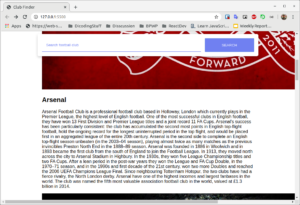
-
- class ClubItem extends HTMLElement {
-
- constructor() {
-
- super();
-
- this.shadowDOM = this.attachShadow({mode: “open”});
-
- }
-
- set club(club) {
-
- this._club = club;
-
- this.render();
-
- }
-
- render() {
-
- this.innerHTML = `
-
- <img class=”fan-art-club” src=”${this._club.fanArt}” alt=”Fan Art”>
-
- <div class=”club-info”>
-
- <h2>${this._club.name}</h2>
-
- <p>${this._club.description}</p>
-
- </div>`;
-
- }
-
- }
-
- customElements.define(“club-item”, ClubItem);
-
- class ClubItem extends HTMLElement {
-
- constructor() {
-
- super();
-
- this.shadowDOM = this.attachShadow({mode: “open”});
-
- }
-
- set club(club) {
-
- this._club = club;
-
- this.render();
-
- }
-
- render() {
-
- this.shadowDOM.innerHTML = `
-
- <img class=”fan-art-club” src=”${this._club.fanArt}” alt=”Fan Art”>
-
- <div class=”club-info”>
-
- <h2>${this._club.name}</h2>
-
- <p>${this._club.description}</p>
-
- </div>`;
-
- }
-
- }
-
- customElements.define(“club-item”, ClubItem);
-
- club–item {
-
- display: block;
-
- margin–bottom: 18px;
-
- box–shadow: 0 4px 8px 0 rgba(0, 0, 0, 0.2);
-
- border–radius: 10px;
-
- overflow: hidden;
-
- }
-
- club–item .fan–art–club {
-
- width: 100%;
-
- max–height: 300px;
-
- object–fit: cover;
-
- object–position: center;
-
- }
-
- .club–info {
-
- padding: 24px;
-
- }
-
- .club–info > h2 {
-
- font–weight: lighter;
-
- }
-
- .club–info > p {
-
- margin–top: 10px;
-
- overflow: hidden;
-
- text–overflow: ellipsis;
-
- display: –webkit–box;
-
- –webkit–box–orient: vertical;
-
- –webkit–line–clamp: 10; /* number of lines to show */
-
- }
-
- class ClubItem extends HTMLElement {
-
- …….
-
- render() {
-
- this.shadowDOM.innerHTML = `
-
- <style>
-
- club-item {
-
- display: block;
-
- margin-bottom: 18px;
-
- box-shadow: 0 4px 8px 0 rgba(0, 0, 0, 0.2);
-
- border-radius: 10px;
-
- overflow: hidden;
-
- }
-
- club-item.fan-art-club {
-
- width: 100%;
-
- max-height: 300px;
-
- object-fit: cover;
-
- object-position: center;
-
- }
-
- .club-info {
-
- padding: 24px;
-
- }
-
- .club-info > h2 {
-
- font-weight: lighter;
-
- }
-
- .club-info > p {
-
- margin-top: 10px;
-
- overflow: hidden;
-
- text-overflow: ellipsis;
-
- display: -webkit-box;
-
- -webkit-box-orient: vertical;
-
- -webkit-line-clamp: 10; /* number of lines to show */
-
- }
-
- </style>
-
- <img class=”fan-art-club” src=”${this._club.fanArt}” alt=”Fan Art”>
-
- <div class=”club-info”>
-
- <h2>${this._club.name}</h2>
-
- <p>${this._club.description}</p>
-
- </div>`;
-
- }
-
- }
-
- ……
-
- class ClubItem extends HTMLElement {
-
- …..
-
- render() {
-
- this.shadowDOM.innerHTML = `
-
- <style>
-
- * {
-
- margin: 0;
-
- padding: 0;
-
- box-sizing: border-box;
-
- }
-
- :host {
-
- display: block;
-
- margin-bottom: 18px;
-
- box-shadow: 0 4px 8px 0 rgba(0, 0, 0, 0.2);
-
- border-radius: 10px;
-
- overflow: hidden;
-
- }
-
- .fan-art-club {
-
- width: 100%;
-
- max-height: 300px;
-
- object-fit: cover;
-
- object-position: center;
-
- }
-
- .club-info {
-
- padding: 24px;
-
- }
-
- .club-info > h2 {
-
- font-weight: lighter;
-
- }
-
- .club-info > p {
-
- margin-top: 10px;
-
- overflow: hidden;
-
- text-overflow: ellipsis;
-
- display: -webkit-box;
-
- -webkit-box-orient: vertical;
-
- -webkit-line-clamp: 10; /* number of lines to show */
-
- }
-
- </style>
-
- <img class=”fan-art-club” src=”${this._club.fanArt}” alt=”Fan Art”>
-
- <div class=”club-info”>
-
- <h2>${this._club.name}</h2>
-
- <p>${this._club.description}</p>
-
- </div>`;
-
- }
-
- }
-
- ……..
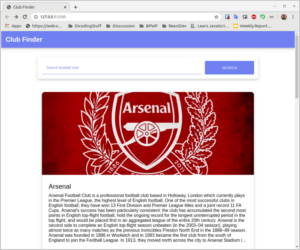
-
- club–daftar {
-
- display: block;
-
- margin–top: 32px;
-
- width: 100%;
-
- padding: 16px;
-
- }
-
- @import “clublist.css”;
-
- * {
-
- padding: 0;
-
- margin: 0;
-
- box–sizing: border–box;
-
- }
-
- body {
-
- font–family: sans–serif;
-
- }
-
- main {
-
- width: 90%;
-
- max–width: 800px;
-
- margin: 32px auto;
-
- }
-
- club–daftar {
-
- display: block;
-
- margin–top: 32px;
-
- width: 100%;
-
- padding: 16px;
-
- }
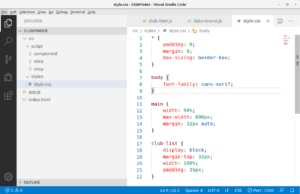
Hal yang sering ditanyakan seputar Tutorial Custom Element dan Shadow DOM di Javascript
Apa itu Custom Element dalam JavaScript?
Custom Element adalah fitur yang memungkinkan pengembang membuat tag HTML baru untuk komponen UI yang direus. Ini didefinisikan menggunakan `customElements.define()` dengan memberikan nama tag dan kelas JavaScript yang memperluas HTMLElement dasar.
Bagaimana cara membuat Custom Element menggunakan customElements.define()?
Buat kelas JavaScript yang memperluas HTMLElement, lalu panggil `customElements.define(‘nama-elemen’, NamaKelas)` untuk mendaftarkannya. Setelah itu, elemen dapat digunakan dalam HTML seperti tag biasa, misalnya “.
Apa itu Shadow DOM dan bagaimana cara menggunakannya dengan Custom Element?
Shadow DOM adalah API yang memungkinkan Custom Element memiliki DOM terisolasi untuk gaya dan struktur yang mandiri. Untuk menggunakannya, buat shadow root pada Custom Element dengan `this.attachShadow({mode: ‘open’})`, lalu tambahkan konten ke dalamnya.
Bisakah Custom Element memperluas elemen HTML bawaan seperti ?
Ya, Custom Element dapat memperluas elemen HTML bawaan dengan memperluas kelas spesifik seperti HTMLDivElement. Ini memungkinkan penambahan fungsionalitas kustom pada elemen standar tanpa mengubah struktur aslinya.
Bagaimana menerapkan Custom Element pada proyek seperti Club Finder?
Pada proyek Club Finder, identifikasi komponen seperti App Bar atau Search Bar, kemudian buat Custom Element untuk masing-masing. Misalnya, buat folder ‘component’ dalam src/script, lalu definisikan kelas dan gunakan `customElements.define()` untuk mendaftarkannya.
Ya, Custom Element dapat memperluas elemen HTML bawaan dengan memperluas kelas spesifik seperti HTMLDivElement. Ini memungkinkan penambahan fungsionalitas kustom pada elemen standar tanpa mengubah struktur aslinya.
Bagaimana menerapkan Custom Element pada proyek seperti Club Finder?
Pada proyek Club Finder, identifikasi komponen seperti App Bar atau Search Bar, kemudian buat Custom Element untuk masing-masing. Misalnya, buat folder ‘component’ dalam src/script, lalu definisikan kelas dan gunakan `customElements.define()` untuk mendaftarkannya.
Memuat komentar…